1. Export a CSV file from Krock.io
To export comments from Krock.io, select the video and open the menu via the three dot icon. Select "Export comments to csv" to export the comments.
2. Use the "Märgistusmuundur" to convert the CSV file into a Final Cut 7 XML marker file
Open the free Märgistusmuundur, select "Krock.io > Comments (.csv)" and set "convert" to "Adobe Premiere Pro > Sequence (.xml)". Generate and download the file. Kui teil on faili teisendamisega probleeme, võite pöörduda tasuta toe poole.
3. Import the Final Cut 7 XML marker file into Adobe Premiere Pro
To import timeline markers, go to "File -> Import" and select the XML file.
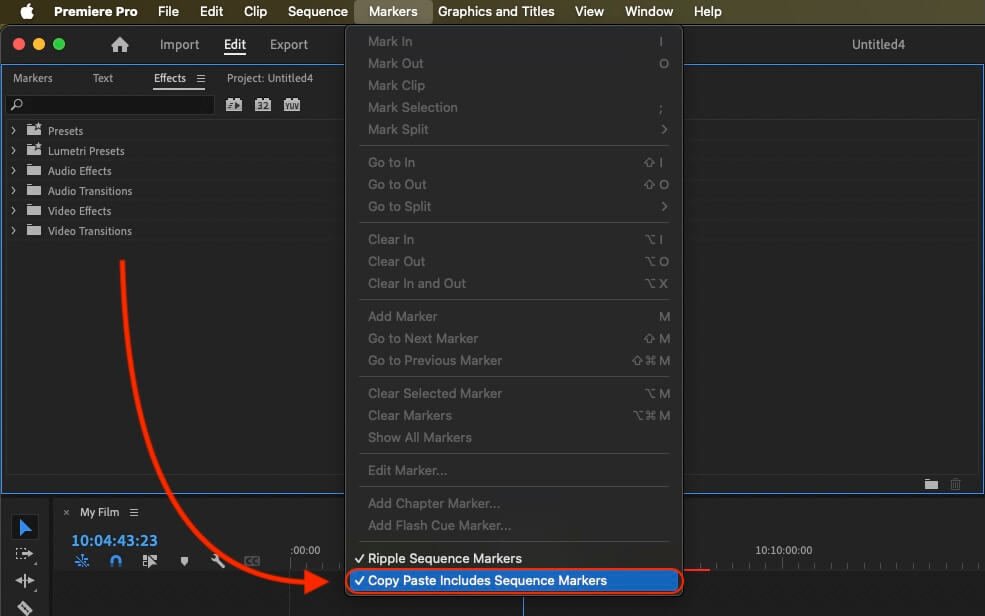
If you want to copy these markers into the existing sequence, use the adjustment layer or any other video as placeholder. Then copy the clip and switch to your existing sequence. Move the cursor to the location, where the adjusmtent layer or first marker appeared in the other sequence. Then past it. It will only copy the timeline markers if under setting (in the Markers menu) the option "Copy Paste Includes Sequence Markers" is active.
🚀 Valmis
Selleks korraks kõik! Kui see õpetus oli teile kasulik, jagage seda, et meid toetada. Kui teil on ettepanekuid, kuidas töövoogu paremaks muuta, andke meile teada!