1. Export a CSV marker file from Pix
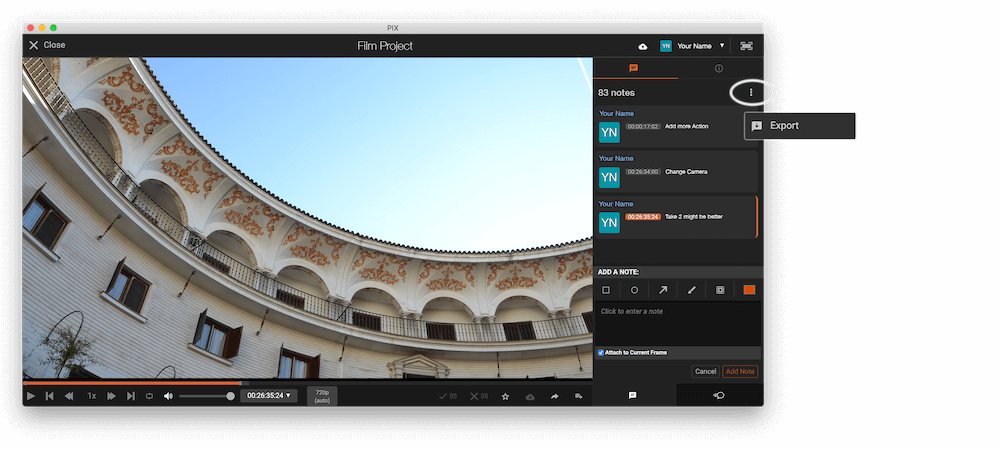
Open the comments panel on the right side in Pix. Press the three dots and select "Export". Now you can then download the CSV file from Pix.
The timecode in Pix starts with 00:00:00:00 for each clip, so you may need to use the offset function on EditingTools.io to sync it with you timeline or move it manually in your NLE (editing software).
2. Use the "Märgistusmuundur" to convert the CSV marker file into a PDF file
Open the free Märgistusmuundur, select "Pix Systems > Comments (.csv)" and set "convert" to "PDF". Generate and download the file. Kui teil on faili teisendamisega probleeme, võite pöörduda tasuta toe poole.
🚀 Valmis
Selleks korraks kõik! Kui see õpetus oli teile kasulik, jagage seda, et meid toetada. Kui teil on ettepanekuid, kuidas töövoogu paremaks muuta, andke meile teada!